Cart Abandonment Recovery
Introduction
How the process works
An abandoned cart is created when a customer starts the checkout process but leaves without completing their payment.
Here is the flow:- A customer visits one of your checkout pages and enters their email address
- 24 hours passes and they haven't completed the order
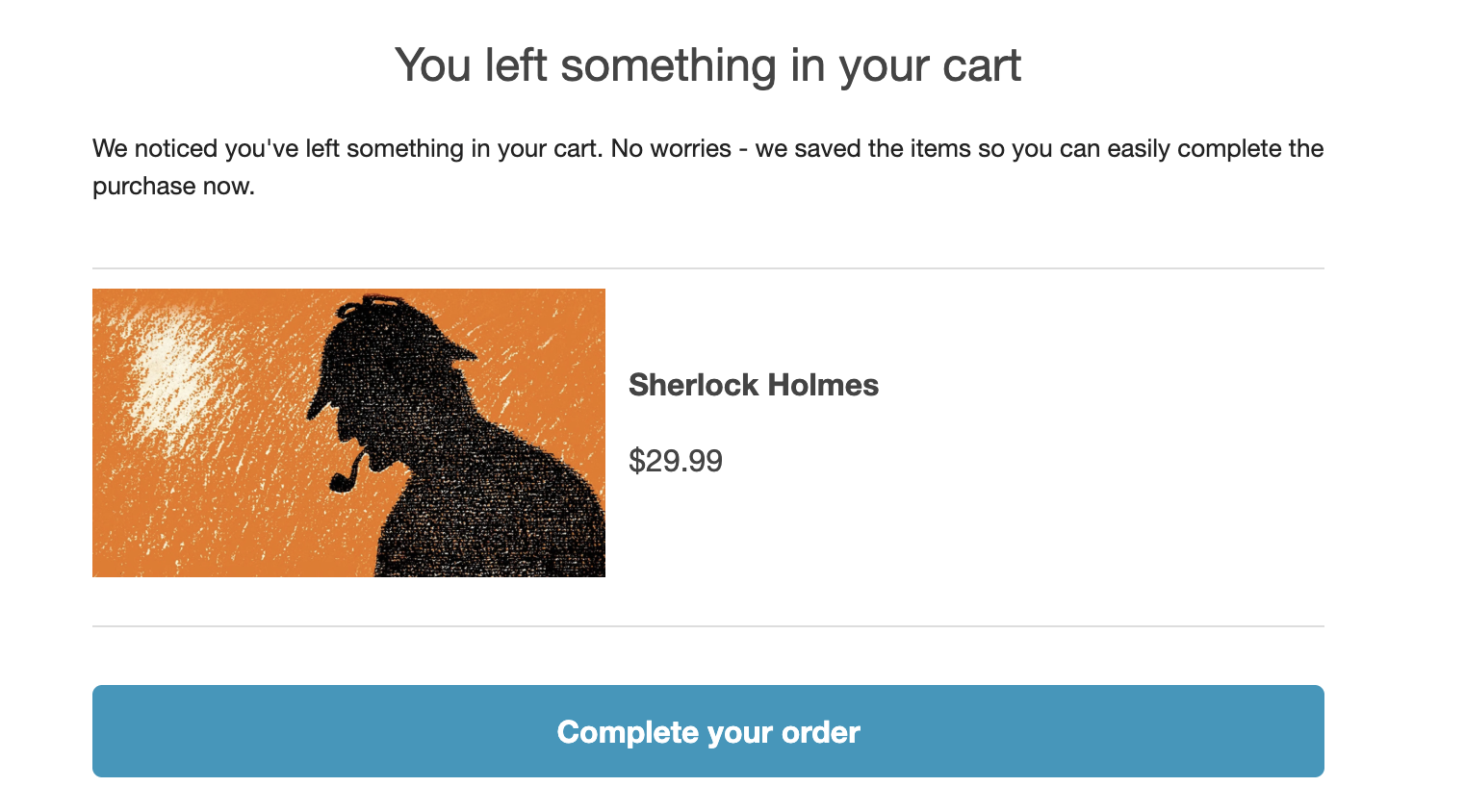
- We will send an email to the customer letting them know they have items left in their cart and how to complete their order
- You can optionally share a discount with the customer to provide an incentive
Customers won't be sent a cart abandonment email if they've already been sent one before in the last 7 days.
How to setup cart abandonment
Login to your Payhip account and visit this page
Switch on the toggle labelled "Enable cart abandonment"
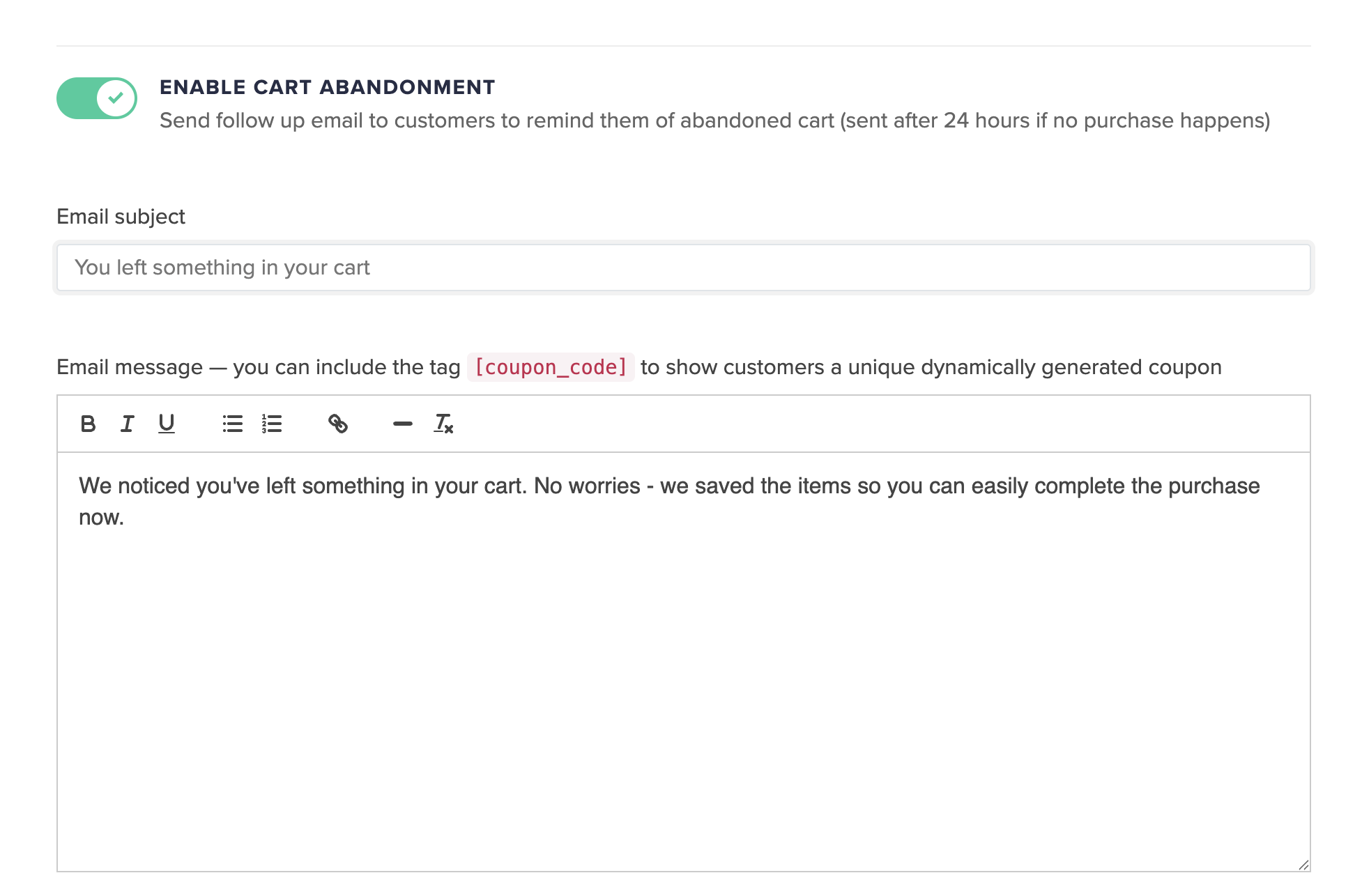
You'll then be able to provide your cart abandonment email subject and message.
To encourage the customer to purchase you can choose to enable a discount.
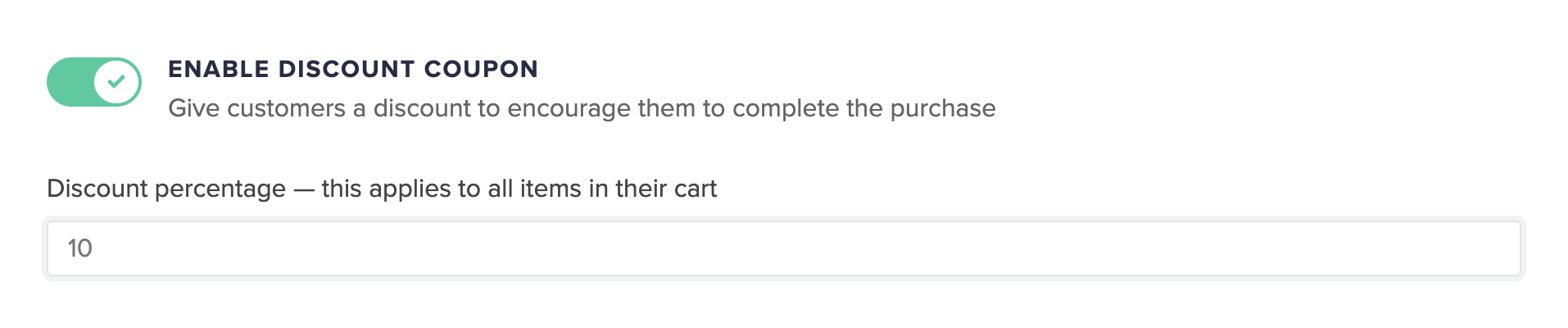
If you do decide to enable the discount coupon remember to edit your email message with the tag [coupon_code] so the customer can see the coupon they need to input at checkout to receive the discount.
Email consent
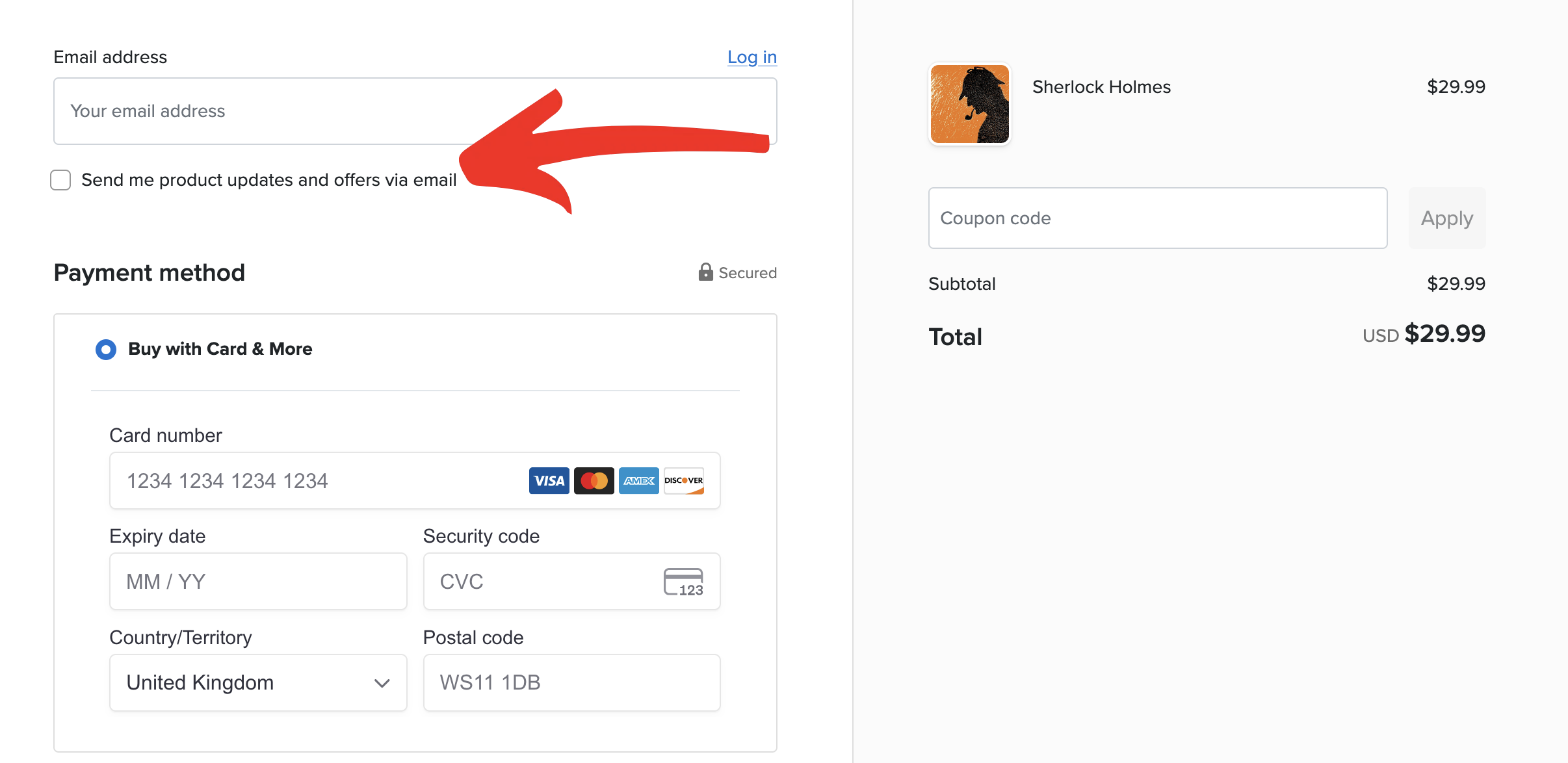
For EU/UK customers cart abandonment emails will only be sent if they consent to receiving emails for EU GDPR compliance by checking the above checkbox.
To manage your email consent settings please read this article.
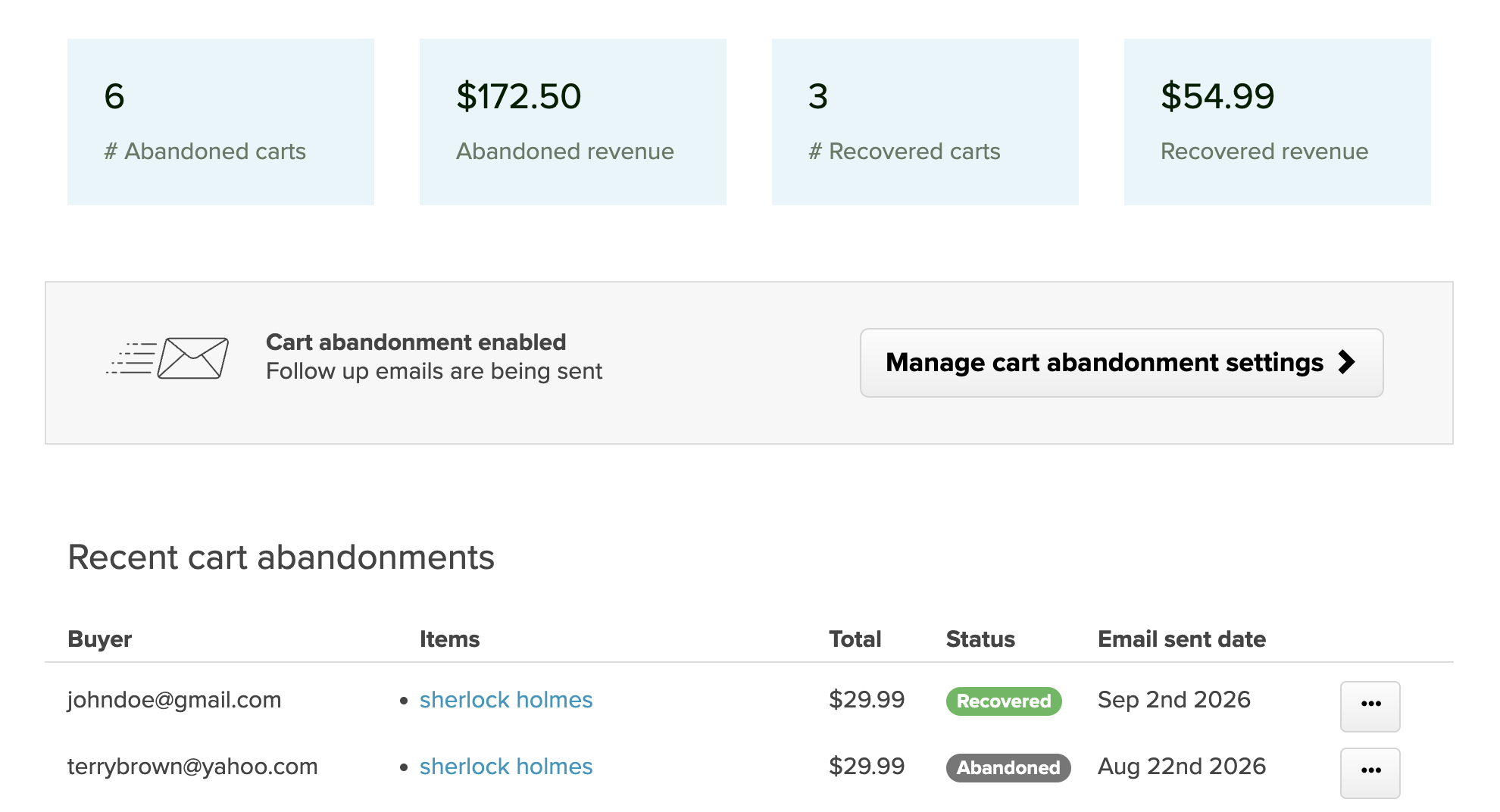
Viewing your abandoned carts
- The customer's email address
- When the checkout was abandoned
- The products in the cart
- The total value of the cart
- Whether the customer later completed their purchase
What does a customer see?
Limitations
For checkout pages that involve recurring/subscription billing (like $99 per month) we cannot send cart abandonment emails and cart abandonment discounts wouldn't work for it.