Connect Your PayU Account
In this article:
- General Information:
- How to connect to PayU
- FAQ
General Information
You can connect PayU to your Payhip store to accept payments for selling digital products online.
Which countries is PayU available in?
PayU supports payment processing for sellers in India.
Note that the currency used in your Payhip account must match the currency in your PayU account.
What are the payment methods available on PayU?
PayU supports all major debit and credit cards. In addition, PayU provides over 150 local payment methods including UPI, Net Banking, EMIs, BNPL and more.
PayU fees - how much money does PayU take per transaction?
The standard PayU fee for online transactions ranges from 2% per transaction depending on your country/region and where your customer is paying from. Fees vary by payment methods, please check PayU's pricing page for the latest updates. Note that these fees are collected by PayU and do not go to Payhip.
How to connect PayU to your eCommerce store
To start selling online, make sure you've signed up for a free Payhip account.
In your Payhip dashboard, go to Account → Settings → Payment Details. You'll see a list of payment gateways available in your region, including PayU (if it's available to you). If you don't see the option, click See All Payment Options to see the full list of supported payment gateways.
Note that the default currency that you set on your Payhip account must match the currency on your PayU account.
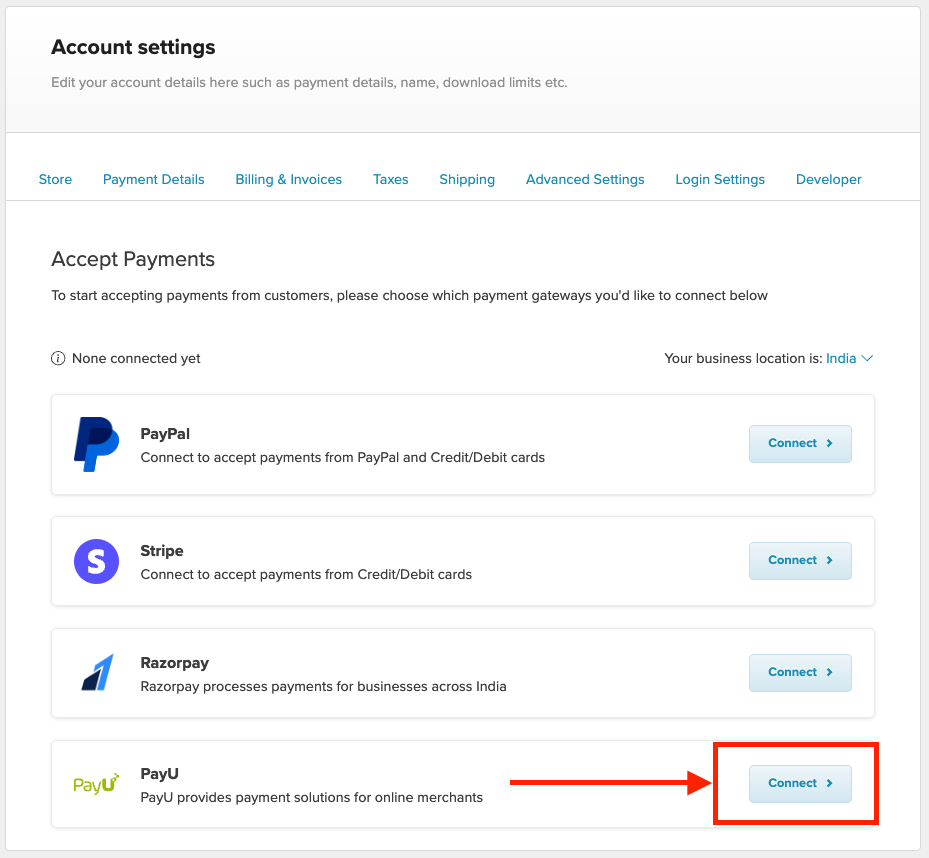
Click Connect and you'll be presented with the screen where you can add your Key and Salt.
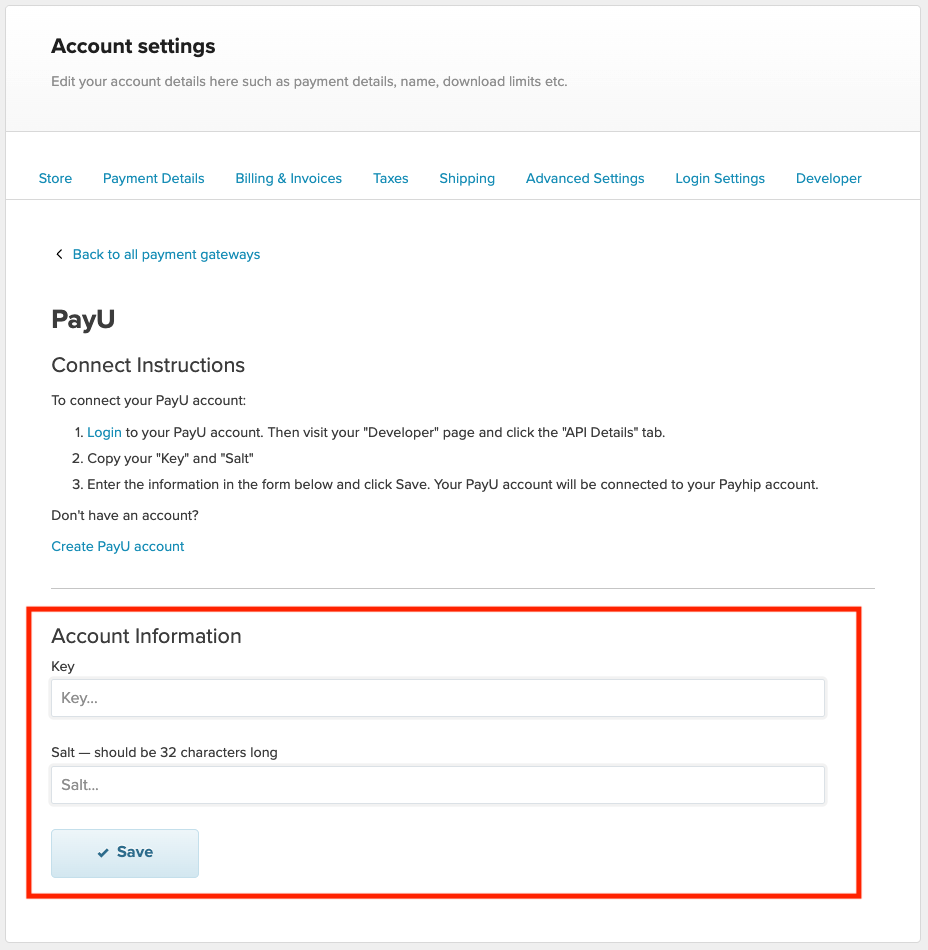
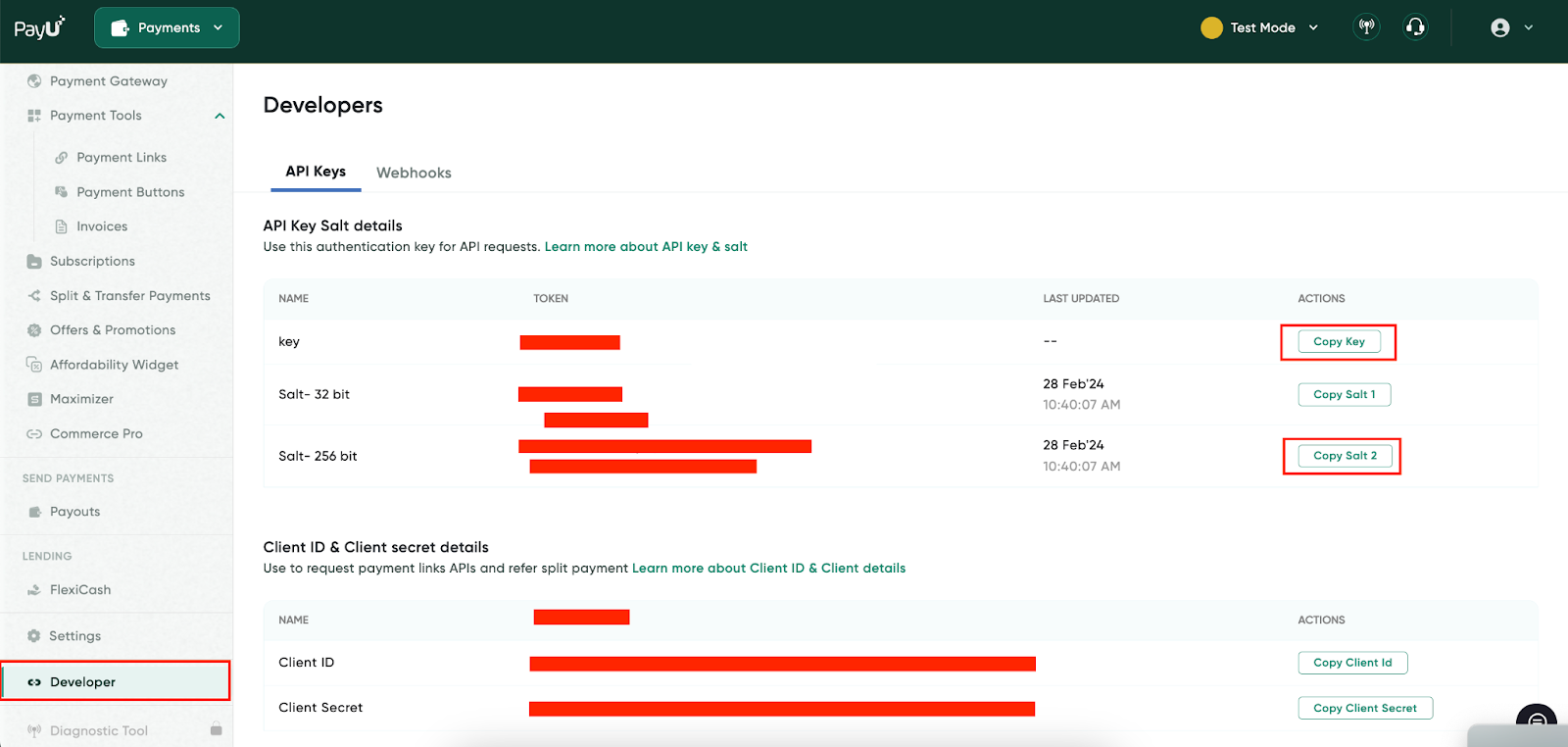
To find this information, please take the following steps on your PayU account:
1) Login to your PayU account
2) Go to to Developer → API Details
3) Now you can copy the Key and Salt and paste them into the corresponding fields on your Payhip dashboard.
After you've submitted the above information on your Payhip account you'll be shown a confirmation that PayU was successfully connected.
That's it! You've successfully integrated PayU to your Payhip store.
If you don't have a PayU account yet
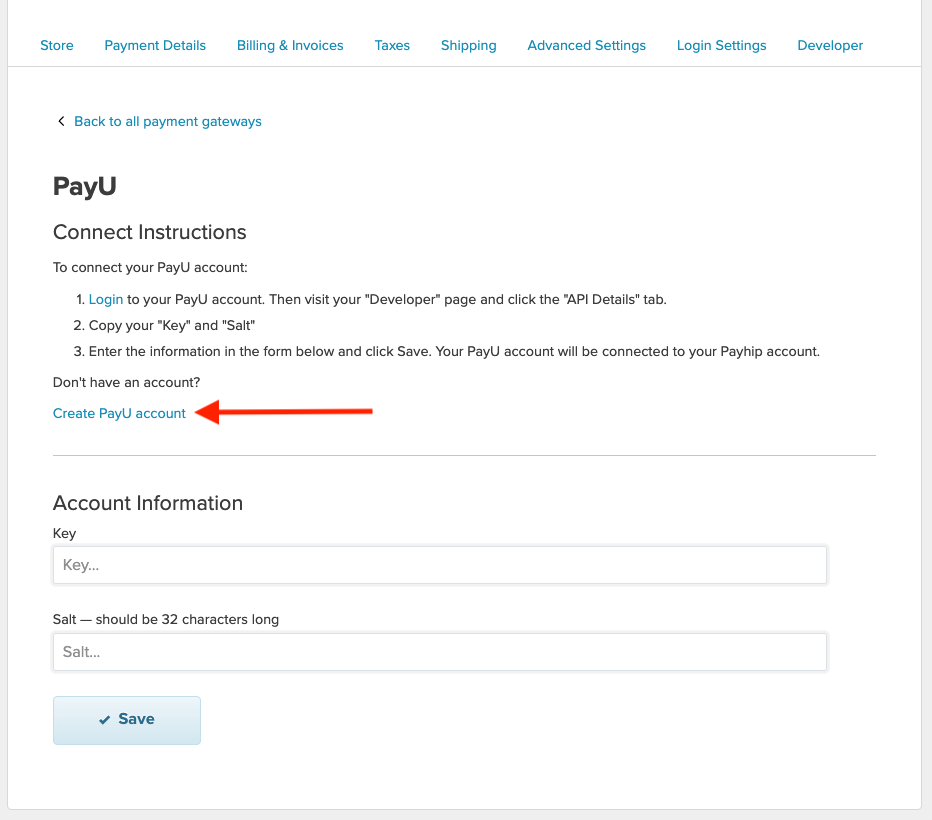
If you don't have a PayU account yet, there is a link to create a new PayU account for free on your Payhip dashboard. Simply follow the on-screen instructions to set up your new PayU account.
FAQ
How do I get my payouts from PayU?
PayU payments are processed instantly, so you receive funds immediately after each transaction. PayU payments work a little differently compared to Stripe or PayPal on Payhip. You will get your full payment (without Payhip fees deducted) instantly after each transaction has been processed. At the end of each month, you'll be billed for your Payhip fees using your preferred credit card.
What will my customers see at checkouts?
Once your PayU account is connected to Payhip, customers visiting your storefront will be redirected to PayU' interface at checkout where they can select their preferred payment methods. They do not need to have a PayU account to purchase, they can make payments with any payment method of their choice (debit card, credit card, etc).