Overview
In this article, we will go through Payhip’s plans and transaction fees, how to upgrade your account, and frequently asked questions.
In this article:
Plans and fees
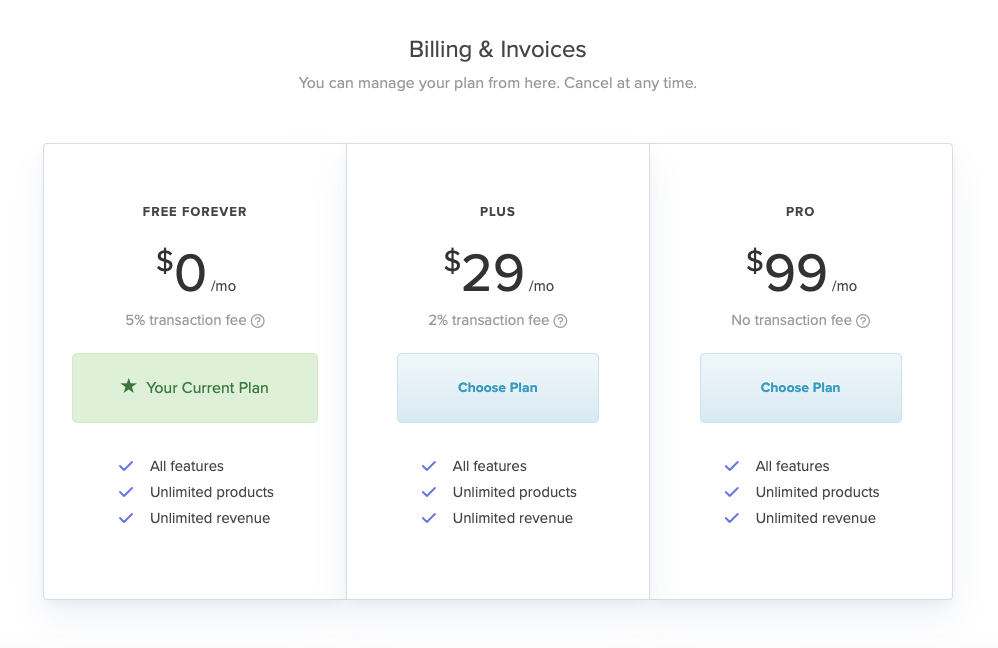
By default, you’ll be on Payhip’s Free Forever plan. At $0 per month, this comes with all features, unlimited products, and unlimited revenue, but you will be charged a 5% fee by us on any transactions processed through your Payhip site. This is great for if you’re just getting started, but once the sales start rolling in you’ll want to upgrade to reduce your transaction fee.
For $29 a month you can upgrade to the Plus plan and we’ll reduce the transaction fee to 2%. Or, for just $99 per month, you can be on our Pro plan and there will be no transaction fee from us at all.
How to upgrade your account
To upgrade your Payhip account, go to Account > Settings and then click on the Billing & Invoices tab.
Then all you need to do is choose the plan that you’d like to upgrade to, enter your credit card details, and that’s it. You’re upgraded!
Frequently asked questions
Do all Payhip plans include the same features?
Yes. The Free Forever, Plus, and Pro plans all include the same features, unlimited products, and unlimited revenue. You don’t need to upgrade to a paid plan to access additional features. The plans differ in their Payhip transaction fee.
Why would I upgrade to a paid plan?
Upgrading reduces Payhip’s transaction fee: 5% on Free Forever, 2% on Plus, and 0% on Pro. Payment processors such as PayPal and Stripe will still charge their standard transaction fees.
Can I cancel my plan anytime?
Yes. You can cancel your paid plan at any time by switching to the Free Forever plan under Account > Settings > Billing & Invoices. Your paid plan will remain active until the end of your current billing cycle. After that, your store will continue on the Free Forever plan.